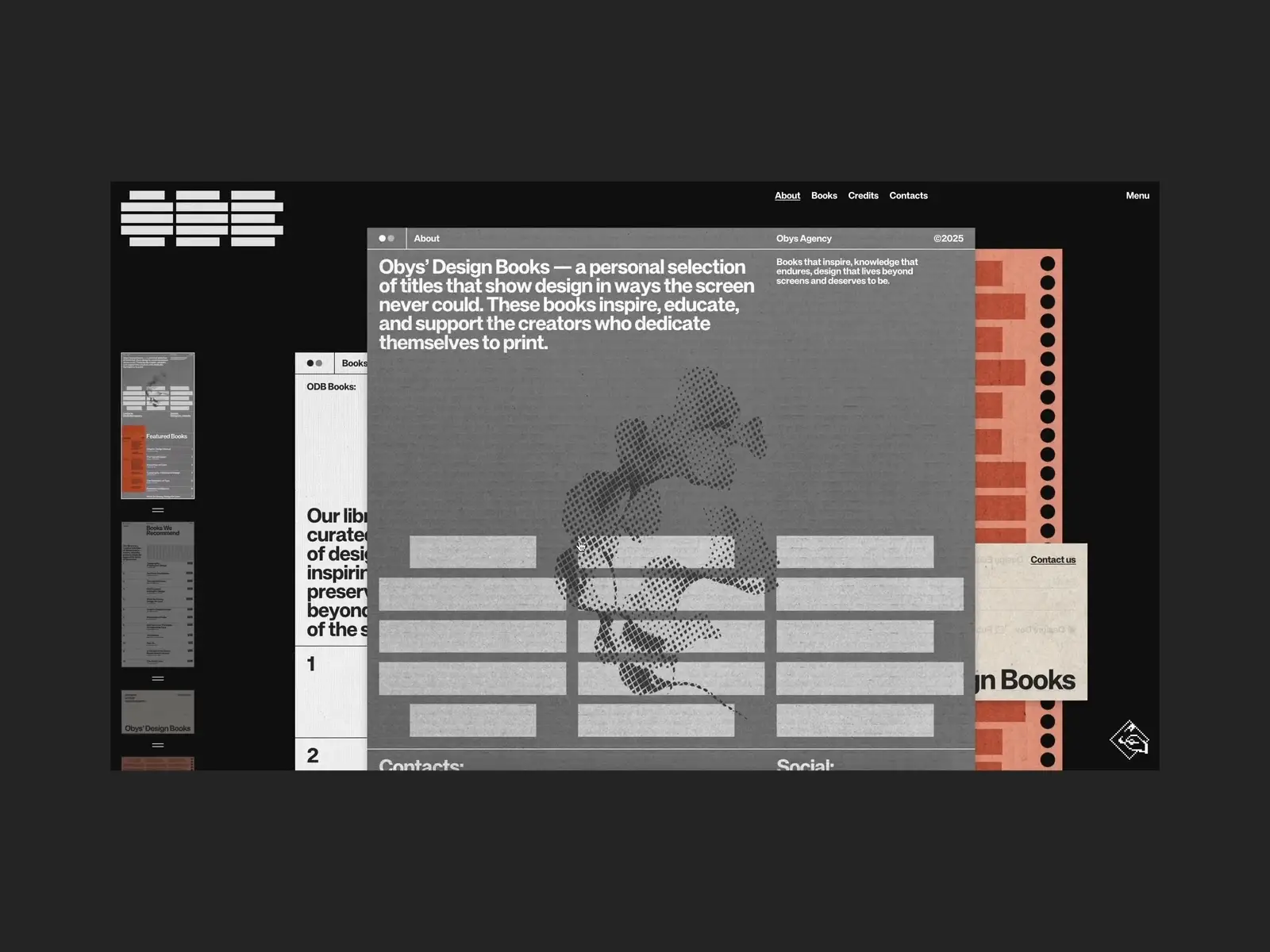
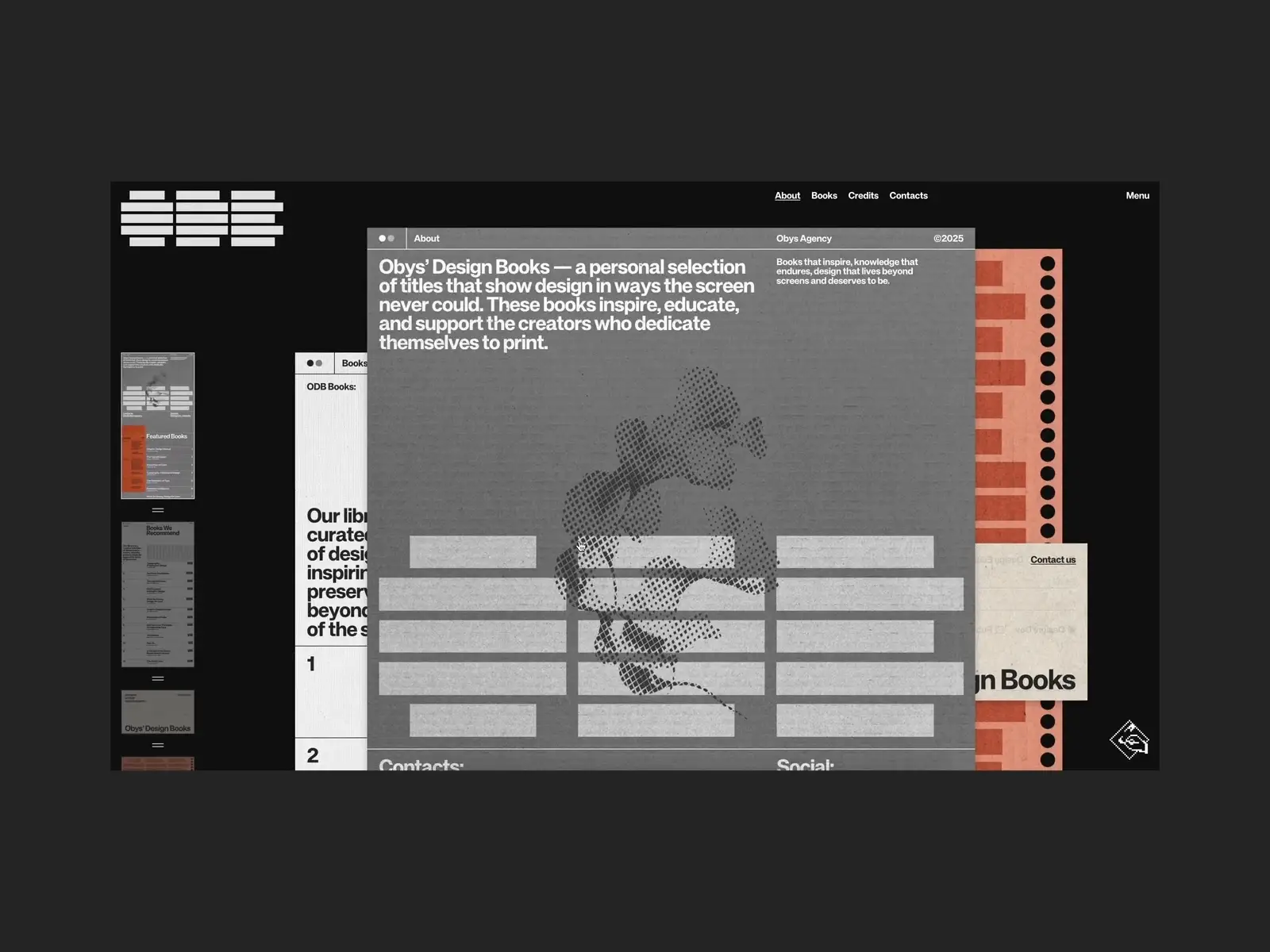
Obys’ Design Books is a curated digital library representing the foundational knowledge and inspiration our team uses and recommends to our students in the Design Education Series. We believe that physical books with their distinct textures, weight, and even their scent remain an immortal source of inspiration that allows us to pause the daily routine and find a sense of calm and clarity.

Learn modern web animation using GSAP 3 with 34 hands-on video lessons and practical projects — perfect for all skill levels.
Project Backstory
The idea for this project came from a very simple question. Our students and followers often ask us: “What books should I read to get better at typography or layout?” We’ve been answering this in emails and messages for a long time. Then we thought: why not build a place where all these recommendations can live together?
We didn’t want a boring list or a basic online store. We wanted to create a space that feels like our own office shelf. It took us about three months to bring this to life. The biggest turning point was when we decided to change how navigation works. Usually, you click a link and go to a new page. Here, we wanted everything to be right in front of you, just like books on a desk.
The Idea: Making Digital Feel Real
The main goal was to make the website feel “tactile”, meaning you feel like you’re touching something real, not just clicking pixels.
Everything is Always There
In the Obys Library, all the pages are visible at the same time. They are stacked on top of each other. When you want to see a different book, you just bring that “sheet of paper” to the front. This makes browsing feel fast and playful. You don’t wait for a page to load; you just move things around.
Paper Textures
To make it feel like a real book, we added different textures to every page. The pages look like old recycled paper. It’s a small detail, but it changes how you feel about the content.

Tech Stack & Tools
We kept our tech stack simple and powerful. We don’t like to overcomplicate things if we don’t have to.
- Frontend: We used HTML, CSS, and JavaScript. We didn’t use big frameworks because we wanted total control over the animations.
- GSAP: This is our main tool for motion. It helps us handle how the pages move, how they stack, and how they react when you click them.
- Smooth Scroll: We spent a lot of time making the scrolling feel “heavy” and smooth, not jumpy. It adds to the feeling that you are moving physical objects.
- Backend: Strapi (Headless CMS). It’s very easy to use. Our team can add new books or change descriptions in a few minutes without touching any code.
Feature Breakdowns
1. The Way You Move (Navigation)
Since every page is visible, we had to give people different ways to navigate so they don’t get confused:
- You can click the edges of the pages.
- You can use a quick menu if you know what you’re looking for.
- You can open a full-page menu to see the whole collection at once.
Making these three systems work together was the hardest part of the code.
2. Natural Motion
We didn’t want the pages to just “pop” up. We wanted them to slide and settle like paper. We used GSAP to create a “lift” effect. When you click a book, it slightly rises and then drops into place. It’s a tiny animation, but it makes the whole site feel more alive.
3. Personal Styles
Every book has its own style. When you switch between them, the accent colors and the grain of the paper change. The website adapts to the book you are looking at.

Visual & Interaction Design
The design is all about being clean and focused. Because there are many pages on the screen at once, we had to be careful not to make it look messy.
- Colors: We used natural colors – creams, soft grays, and deep blacks. Nothing too bright or “digital.”
- Fonts: Typography is a huge part of Obys. We used strong, bold headers that look like book covers, and simple fonts for the text so it’s easy to read.
- The Grid: Everything follows a strict grid, even if it looks like the books are just scattered around. This keeps the design feeling organized.
Architecture & Structure
A big challenge was performance. Having many pages with high-quality textures can make a website slow. To fix this, we only “fully” load the pages that are near the top of the stack. The pages that are buried deep down are simplified until you start moving towards them. This keeps the site very fast, even on phones. We also optimized the textures so they look great but don’t take forever to load.
Page-by-Page Notes
- The Intro: We start with a lot of empty space. It’s like a deep breath before you start reading.
- Book Details: When you pick a book, we show the cover clearly and explain why we think it’s important. We focus on how this book helped us in our work.
- Filters: If you only want to see books about “Typography,” the other pages move away to the side. It’s a physical way of sorting your desk.
Reflections
Building the Obys’ Design Books site reminded us that sometimes, the best ideas come from the “old” world, like books and paper.
What was tough: The hardest part was knowing when to stop. We wanted to add more effects and more buttons, but we realized it was making the site too busy. We had to remove things to keep it simple and calm.
What we loved: We love that this isn’t just a “project” – it’s a tool. We use it ourselves, and our students use it. It’s a great feeling to build something that actually helps people find their next favorite book.
What’s next: Those who have been following our team for a long time know that we love creating educational sites. We started years ago with Typography Principles and our very popular Grids project. For us, the ODB site is a natural continuation of that journey. It feels like a foundation that brings all our previous work together.
It summarizes what we’ve built so far, but it also hints that there are still many topics we haven’t covered yet. There is so much more to explore, and this project proves that there is still a huge field for new educational websites and interesting experiments. We can’t wait to show you what’s next.